The Chaos of the Commercial Cookline
Walk into the kitchen of a bustling Indian restaurant during a peak Saturday evening service, and you will typically witness organized chaos: thermal receipt printers screeching continuously, stacks of greasy, sauce-splattered paper Kitchen Order Tickets (KOTs) fluttering under exhaust hoods, chefs shouting modifications across steaming tandoor ovens, and floor captains pleading for urgent expediting. In this high-stress environment, paper tickets inevitably get misplaced, allergy warnings get overlooked, and ticket prep times spiral out of control.
A Kitchen Display System (KDS) replaces fragile paper slips with intelligent, high-visibility digital screens positioned directly at the chef's cook station. Let's explore how a modern KDS transforms back-of-house efficiency.
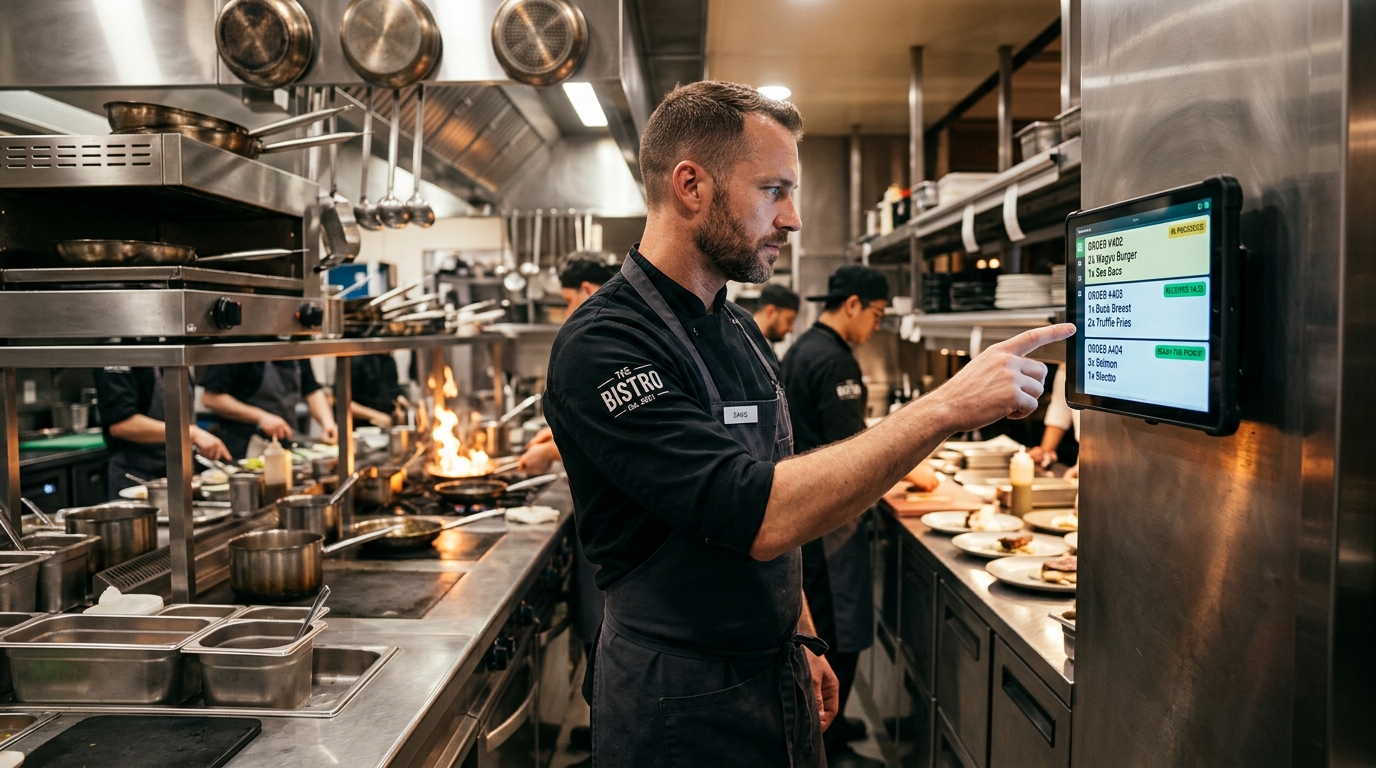
Restaurants upgrading from thermal KOT printers to digital KDS monitors reduce average kitchen order preparation times by 22%, eliminate 99% of lost tickets, and virtually eliminate wrong-dish remakes.
How a Modern Kitchen Display System Works
A KDS is far more than a digital TV displaying text. It is an active operational workflow director that monitors every stage of culinary preparation:
- Sub-Second Ingestion: The instant a diner taps "Place Order" on their table QR or a server enters an order on their captain app, the ticket appears instantaneously on the kitchen monitor with an audible chime.
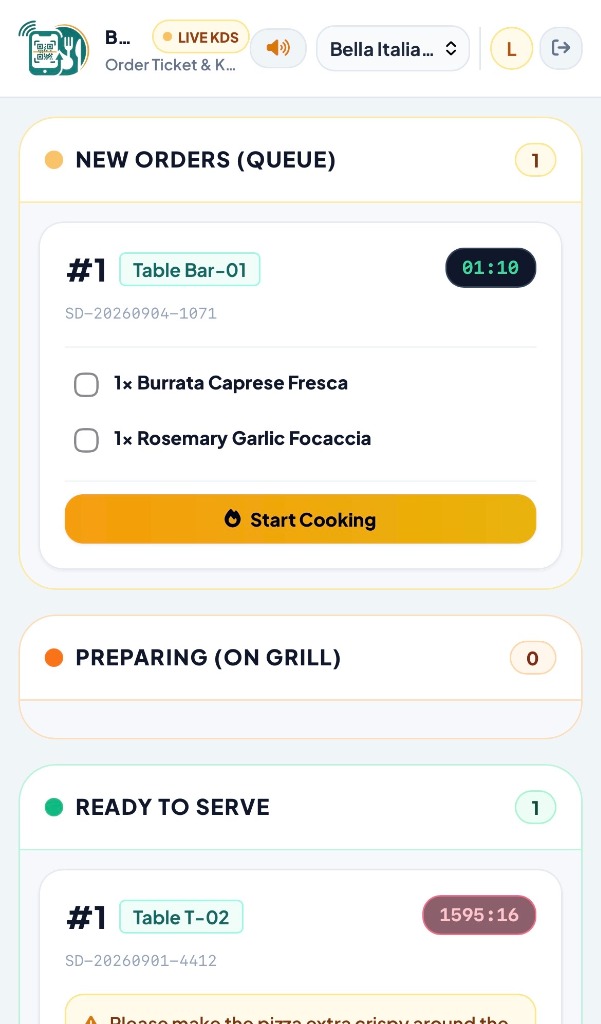
- Visual Aging Indicators (Color-Coded Timers): Each ticket displays an active timer. A ticket under 8 minutes displays a fresh green border. If prep reaches 12 minutes, it turns caution amber. If it exceeds 16 minutes, it pulses alert red, immediately alerting the head chef to expedite.
- Smart Station Routing: In a multi-station kitchen, a single order containing Butter Chicken, Garlic Naan, and an Oreo Milkshake is automatically split: the curry appears on the Curry Station KDS, the bread on the Tandoor KDS, and the shake on the Bar KDS.
- Item-Level Cooking Modifiers: Chef notes like "No Onion, Extra Spicy, Gluten Allergy" appear highlighted in high-contrast bold yellow, impossible for cooks to overlook.
- 1-Tap Waiter Handshake: When cooking is complete, the chef taps "Mark Done". Instantly, the floor server's smartphone vibrates, notifying them that Table 8 is ready for pickup at the pass.
Thermal Paper KOTs vs Digital KDS: Head-to-Head
| Operational Problem | Paper KOT Thermal Printers | ScanDine Digital KDS |
|---|---|---|
| Paper & Printer Costs | ₹15,000–₹25,000 yearly in rolls, ribbons, jams | ₹0 (Paperless, works on standard Android tablet) |
| Lost Tickets & Remakes | Frequent: slips blow away, get soaked, or misplaced | Zero lost tickets: orders securely archived in cloud |
| Chef Priority Management | Manual sorting on ticket rails by memory | Auto-prioritization by chronological wait time |
| Server Notification | Chef yells or rings service bell loudly | Silent digital push alert to server's phone |
What Hardware Do You Need to Run ScanDine KDS?
One of the greatest benefits of ScanDine is hardware flexibility. You do not need expensive proprietary industrial monitors costing ₹50,000:
- Standard 10-Inch Android Tablets: A standard ₹9,000 Lenovo or Samsung tablet mounted in a protective silicone case makes a fantastic station KDS.
- Commercial Smart TVs or Monitors: For large main cooklines, plug an Amazon Fire TV Stick or mini PC into a 32-inch LED TV to give the entire kitchen team a panoramic view of ticket progress.
- Touch or Bump Bar: Chefs can simply tap the screen or use a water-resistant USB wireless mouse to fulfill tickets.
Conclusion: Silence the Chaos, Accelerate the Food
A Kitchen Display System is the culinary heart of a well-oiled restaurant. By banishing paper tickets and equipping your kitchen with ScanDine's real-time KDS, your kitchen turns tickets faster, reduces food waste, and delivers steaming hot dishes that earn five-star customer reviews. Explore ScanDine's KDS features today.